Google is reworking some of the most familiar interactions in Google Messages, the default texting app on many Android phones. The update changes what happens when you swipe across a conversation, press and hold a message, or try to copy a piece of text, and it is reaching users gradually rather than all at once.
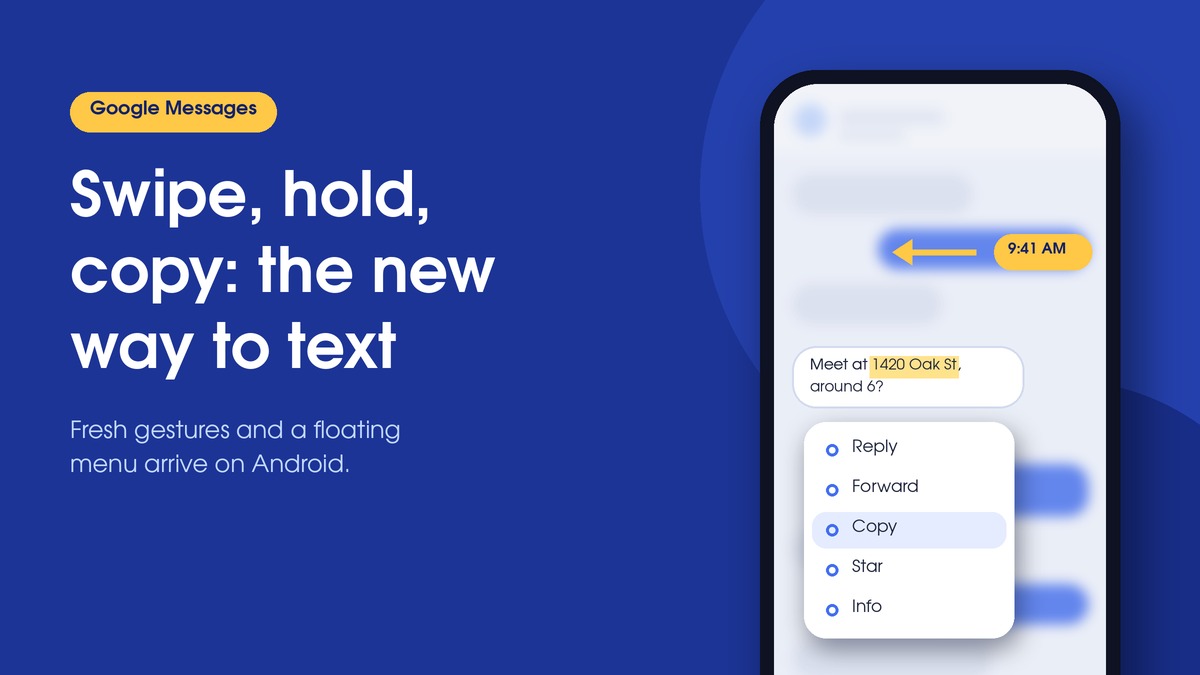
The change most likely to trip people up involves swiping. A left swipe anywhere in a chat now reveals timestamps and RCS encryption status for the visible thread, while replying to a specific message requires a right swipe directly on that message’s bubble, according to 9to5Google.
The new behavior has been linked to recent app builds, including version 20260910_03_RC02. Because Google activates it through a server-side switch, installing that build does not guarantee the changes will show up on a given phone right away.
Swipe Gestures Take On New Roles
For years, Android users have built habits around how their messaging app responds to a flick of the thumb. This update reassigns those gestures, and the adjustment period may be the hardest part.
Timestamps for a whole conversation at once
The left swipe is arguably the most practical addition. Instead of opening message details one at a time to see when something was sent, you can now scan the timing of an entire exchange in a single motion. In long group chats or threads where the sequence of messages matters, such as coordinating plans or confirming when someone replied, that saves real effort.
The same swipe also displays RCS encryption status, giving users a quick way to confirm whether a conversation is running over Google’s richer messaging protocol.
Replying now requires more precision
Replying to an individual message still uses a swipe, but it now has to be a right swipe on the bubble itself. Tapping a message continues to show read receipts. To help users notice the new setup, Google Messages briefly flashes timestamps after a tap, a subtle hint that the information has moved to a gesture.
A Floating Menu Replaces the Top Toolbar
The most visible redesign affects what happens when you press and hold a message. Rather than pushing controls into a toolbar at the top of the screen, the app now opens a floating menu right beside the selected bubble and blurs the rest of the conversation behind it. A Reddit user first spotted the new design, as reported by Android Authority.
The options vary depending on what you select:
| Selected content | Menu options |
|---|---|
| Text message | Reply, Forward, Copy, Star, Delete, Select more, Info |
| Image | Includes additional options such as Save and Remix |
Placing the menu next to the message keeps actions closer to where your finger already is, which should make common tasks feel quicker on larger phones.
Copying Only the Text You Need
Selective copying was first uncovered in an APK teardown and is now appearing in the app. Previously, copying a message grabbed its entire contents, forcing users to paste and trim if they only wanted a phone number, street address, or short snippet. With the update, pressing a second time lets you highlight just the portion you want.
Google has confirmed that touch-and-hold actions work across text, images, videos, links, files, locations, and contact cards.
What Is Confirmed and What Is Still Rolling Out
Not every detail comes from the same source, so it helps to separate what Google has stated from what has been observed in the wild.
| Change | Status | Source |
|---|---|---|
| Touch-and-hold actions across content types | Confirmed | |
| Floating long-press menu with background blur | Observed by users | Reddit user, via Android Authority |
| Left swipe for timestamps and RCS status; right swipe on bubble to reply | Reported | 9to5Google |
| Selecting part of a message to copy | First found in code, now appearing | APK teardown |
| Link to build 20260910_03_RC02 | Reported | Recent app builds |
Timing for your phone
Google has not announced a date for full availability. Since the rollout is server-side, two people running the same version of Google Messages may see different behavior for a while.
How server-side rollouts work
With a server-side launch, the feature code already sits inside the installed app, but the company decides remotely when to switch it on for each account or device. This approach lets developers expand a feature in stages and watch for problems before it reaches everyone, which is why updating through the Play Store alone may not unlock the new gestures.